

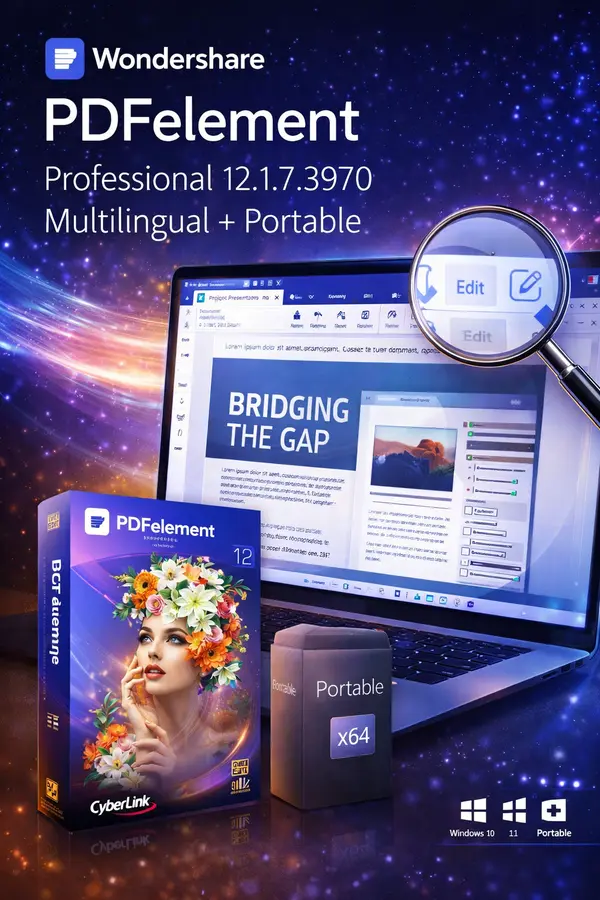
Free Download Wondershare PDFelement Professional 12.1.7.3970 Multilingual + Portable Fast Links | 212.7 / 170.4 MB
Wondershare PDFelement Professional 12 is an all-in-one PDF editing software designed to simplify the way you create, edit, convert, and sign PDF documents. It offers a powerful yet user-friendly solution for managing PDFs with professional-level control and efficiency.
With PDFelement Professional, you can edit PDF files just like Word documents, convert PDFs into multiple formats, perform OCR on scanned documents, and securely sign or protect your files-all from a clean and intuitive interface.
Key Features of Wondershare PDFelement Professional:
Edit PDF Like Word
- Easily add, edit, or remove PDF text, links, watermarks, headers, footers, and Bates numbers
- Change font size, style, and color effortlessly
- Add or modify PDF backgrounds using colors, images, or other PDF files
Advanced PDF Image Editing
- Move, rotate, crop, resize, replace, extract, flip, or delete images
- Adjust image Z-order (front or back layering)
- Batch-export all images from a PDF to separate image files
Page Management Tools
- Add, delete, rotate, crop, split, merge, and reorder PDF pages
- Organize PDF documents quickly and intuitively
PDF Forms Editing & Creation
- Create and edit interactive fillable PDF forms
- Recognize form fields automatically with "Recognize Form"
- Add calculations, validations, and e-signature fields
OCR for Scanned PDFs
- Built-in OCR (Optical Character Recognition)
- Convert scanned PDFs, images, or camera-captured documents into editable and searchable files
- Supports multi-page scanned documents
Edit Password-Protected PDFs
- Unlock PDFs with the correct password
- Edit, print, comment, copy, and sign secured PDF files
- Remove PDF security if you have permission
Complete PDF Conversion Solution
Convert PDFs into high-quality editable formats with minimal effort:
- PDF to Word (.doc, .docx)
- PDF to Excel (.xls, .xlsx, XML)
- PDF to PowerPoint (.ppt, .pptx)
- PDF to Image (JPG, PNG, BMP, GIF, TIFF)
- Batch conversion supported with preserved layout and fonts
Portable Version Advantages:
- No installation required
- No registry or system traces
- Lightweight and fast
- Fully multilingual
- Ideal for USB or portable workflows
System Requirements:
- Operating System: Windows 11 / 10 / 8 / 7
- Processor: Intel Pentium 4 or higher (or equivalent)
- RAM: 512 MB minimum (1 GB recommended)
- Free Disk Space: 1.5 GB
Official Website:
Edit PDF Like Word
- Easily add, edit, or remove PDF text, links, watermarks, headers, footers, and Bates numbers
- Change font size, style, and color effortlessly
- Add or modify PDF backgrounds using colors, images, or other PDF files
Advanced PDF Image Editing
- Move, rotate, crop, resize, replace, extract, flip, or delete images
- Adjust image Z-order (front or back layering)
- Batch-export all images from a PDF to separate image files
Page Management Tools
- Add, delete, rotate, crop, split, merge, and reorder PDF pages
- Organize PDF documents quickly and intuitively
PDF Forms Editing & Creation
- Create and edit interactive fillable PDF forms
- Recognize form fields automatically with "Recognize Form"
- Add calculations, validations, and e-signature fields
OCR for Scanned PDFs
- Built-in OCR (Optical Character Recognition)
- Convert scanned PDFs, images, or camera-captured documents into editable and searchable files
- Supports multi-page scanned documents
Edit Password-Protected PDFs
- Unlock PDFs with the correct password
- Edit, print, comment, copy, and sign secured PDF files
- Remove PDF security if you have permission
Complete PDF Conversion Solution
Convert PDFs into high-quality editable formats with minimal effort:
- PDF to Word (.doc, .docx)
- PDF to Excel (.xls, .xlsx, XML)
- PDF to PowerPoint (.ppt, .pptx)
- PDF to Image (JPG, PNG, BMP, GIF, TIFF)
- Batch conversion supported with preserved layout and fonts
Portable Version Advantages:
- No installation required
- No registry or system traces
- Lightweight and fast
- Fully multilingual
- Ideal for USB or portable workflows
System Requirements:
- Operating System: Windows 11 / 10 / 8 / 7
- Processor: Intel Pentium 4 or higher (or equivalent)
- RAM: 512 MB minimum (1 GB recommended)
- Free Disk Space: 1.5 GB
Official Website:
Code:
https://pdf.wondershare.com/Recommend Download Link Hight Speed | Please Say Thanks Keep Topic Live
Rapidgator
krr5t.PDFelement.Pro.12.1.7.3970.rar.html
krr5t.WS.PDFelement.Pro.12.1.7.3970.Portable.rar.html
DDownload
krr5t.PDFelement.Pro.12.1.7.3970.rar
krr5t.WS.PDFelement.Pro.12.1.7.3970.Portable.rar
FreeDL
krr5t.PDFelement.Pro.12.1.7.3970.rar.html
krr5t.WS.PDFelement.Pro.12.1.7.3970.Portable.rar.html
Links are Interchangeable - No Password - Single Extraction